Basic Content Modules
#Overview
The existing ACE site already had a z__module__basic.html file - so to avoid accidentally changing other pages unknowningly - i have created this new layout and passed it in in the older code.
In an ideal world - we will work to phase this out if we make further changes after this new homepage dev cycle.
Big Tile
This module displays one large image tile linking to another page.
This layout is specifically for the new homepage.
The basic subpage module has tag "layout:big-tiles".
This basic subpage has a headline, content, an attached image, and a redirect subpage
Page: https://acenz.nationbuilder.com/admin/sites/48/pages/1997/edit
Subpage redirect: https://acenz.nationbuilder.com/admin/sites/48/pages/2019/edit
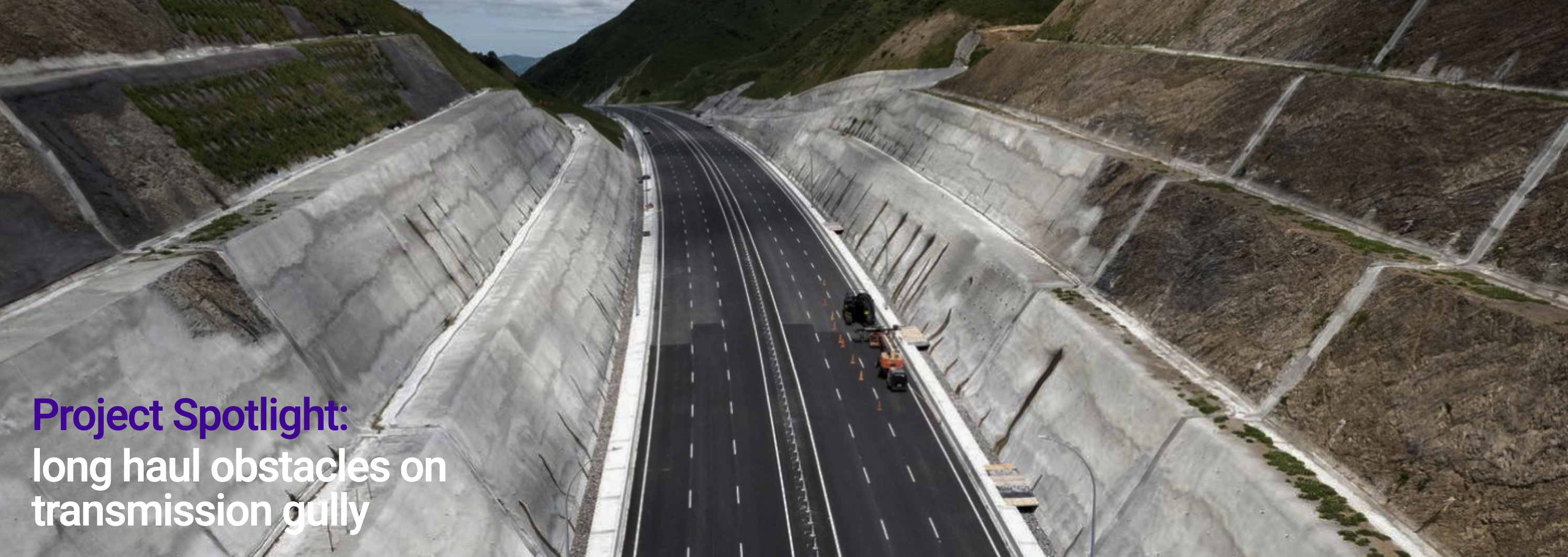
Page headline: Project Spotlight:
Page content: long haul obstacles on transmission gully
Page attached image: big_tile_image.png
Subpage redirect: /infrastructure_for_the_long_haul_summary
Insights
Admins can update the headline and content on each of the three nested basic subpages.
This layout is specifically for the new homepage.
The basic subpage module has tag "layout:insights" and it has 3 nested pages underneath.
Each basic subpage has a headline and content.
As requested during Client Feedback - each child page has a redirect subpage - which can be used to set these as links
Parent page: https://acenz.nationbuilder.com/admin/sites/48/pages/1989/edit
Child page #1: https://acenz.nationbuilder.com/admin/sites/48/pages/1990/edit
Child page #2: https://acenz.nationbuilder.com/admin/sites/48/pages/1991/edit
Child page #3: https://acenz.nationbuilder.com/admin/sites/48/pages/1992/edit

Parent page headline = Insights
Child page #1 headline = 01
Child page #1 content = The state of AI // Three experts offer insite
Child page #2 headline = 02
Child page #2 content = Generation Pandemic // Working in the new normal
Child page #3 headline = 03
Child page #3 content = Pursuit of happiness // Finding meaning at work
Join Banner
This is a basic layout - nothing fancy, no logic checking if the user is logged in or anything, just always having the two buttons.
This layout is specifically for the new homepage.
The basic subpage module has tag "layout:join-banner".
Each basic subpage has a headline and content.
Control Panel: https://acenz.nationbuilder.com/admin/sites/48/pages/2003/edit

Page headline = Interested in joining ACE?
Page content = two button links (styled as buttons via WYSIWYG "Source code" view)
Knowledge Hub
This layout is specifically for the Knowledge Hub page.
The basic subpage module has tag "layout:knowledge-hub".
Each basic subpage has a headline and content. If an image is attached in the files tab of the subpage - the image will be loaded into the left side of the module (stacked on top for mobile).
To add a button link - add a link within the basic content and wire up to the page you want. Then in the HTML source code view add class="btn btn-primary" to the hyperlink anchor tag - like the example below:
<p class="mt-3"><a class="btn btn-primary" href="/contracts">See contracts</a></p>
Purple Header
The original documentation contains no configuration details for this module.
Purpose Ribbon
This layout is specifically for the new homepage.
The basic subpage module has tag "layout:purpose-ribbon" and it has 3 nested pages underneath.
Each basic subpage has a headline, content, and an attached image.
Parent page: https://acenz.nationbuilder.com/admin/sites/48/pages/1999/edit
Child page #1: https://acenz.nationbuilder.com/admin/sites/48/pages/1990/edit
Child page #2: https://acenz.nationbuilder.com/admin/sites/48/pages/1991/edit
Child page #3: https://acenz.nationbuilder.com/admin/sites/48/pages/1992/edit

Child page #1 headline = Advocate
Child page #1 content = A strong voice for our members in issues and decisions that impact them
Child page #1 attached image = megaphone icon
Child page #2 headline = Lead
Child page #2 content = Readying the sector for the future
Child page #2 attached image = flag icon
Child page #3 headline = Enable
Child page #3 content = Creating connections and upskilling members to build professionalism
Child page #3 attached image = checked circle icon
Small Tiles
This module displays three smaller image tiles, each linking to another page.
This layout is specifically for the new homepage.
The basic subpage module has tag "layout:small-tiles" and it has 3 nested pages underneath.
Each basic subpage has a headline, an attached image, and a redirect subpage
Parent page: https://acenz.nationbuilder.com/admin/sites/48/pages/1993/edit
Child page #1: https://acenz.nationbuilder.com/admin/sites/48/pages/1994/edit
Child page #1 redirect: https://acenz.nationbuilder.com/admin/sites/48/pages/2016/edit
Child page #2: https://acenz.nationbuilder.com/admin/sites/48/pages/1995/edit
Child page #2 subpage: https://acenz.nationbuilder.com/admin/sites/48/pages/2018/edit
Child page #3: https://acenz.nationbuilder.com/admin/sites/48/pages/1996/edit
Child page #3 subpage: https://acenz.nationbuilder.com/admin/sites/48/pages/2017/edit

Child page #1 headline: Awards
Child page #1 image: awards.jpeg
Child page #1 redirect: /awards
Child page #2 headline: Find a Consultant
Child page #2 image: find_a_consultant.jpeg
Child page #2 redirect: /hiring_a_consultant
Child page #3 headline: Resources
Child page #3 image: resources.jpeg
Child page #3 redirect: /resources
Video Grid
The basic subpage module has tag "layout:video-grid" and will display the basic page headline and content, and then a 2 column grid of videos (stored in nested basic subpages).
For each nested child basic page - a YouTube URL is stored in the page excerpt.
Default Layouts
By default - the basic subpage module will show headline as h2 if it exists, and show content as p text if it exists, it will be left aligned.
center
used on the homepage, same as default but centered.
center-thin-headline
used on the homepage at the top - centered and thinner headline than normal h2