Getting Started
To create a new Alto site and deploy it immediately to CloudCannon, click here.
#Creating new site pages
For this guide we'll work through a single example: creating a new documentation on Alto within CloudCannon, and ensuring it's shown in the correct place in your navigation bar.
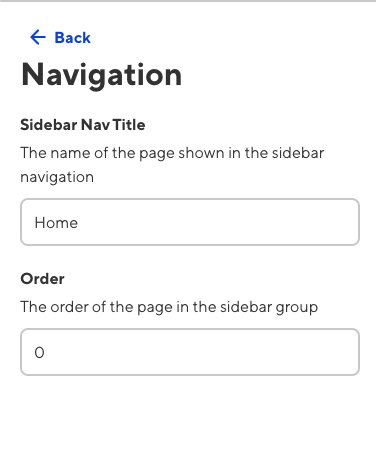
Navigation in Alto is handled by front matter in Eleventy, which can be easily edited in CloudCannon's Data Editor.
The site side-navigation supports nested items and is configured via the eleventyNavigation front matter.
If a parent entry only exists to group child pages, set folder: true under eleventyNavigation. The sidebar will display it as a collapsible folder rather than a page link. Its children remain hidden until the folder is opened, and the folder opens automatically when one of its descendants is the current page.
eleventyNavigation:
  key: Basic Module Layouts
  order: 4
  folder: true
The top-level groups (tags: 'page') are in the order that they are first encountered after sorting all pages by order. Lowering a page's weight may move the eleventyNavigation for that page up the hierarchy.
Pages can be placed outside of a group (alongside the homepage) by assigning them the tags of page.